I handle the busywork.
You run the business.
I set up the scheduling, follow-ups, invoicing and data entry so they run without you. Your customers still get you on the calls that matter.
Thirty minutes, no cost. Pick a time and you'll get a calendar invite. Bring one task that eats your week.

Nobody touched any of it.
Here's where the evenings usually go.
Invoices pile up
They sit half-done until the end of the month. Then it's usually a whole Saturday reconstructing what you did three weeks ago, and another afternoon chasing the people who haven't paid. The work was finished long ago. The paperwork is what's still open.
Follow-ups fall through
A lead goes quiet because nobody had five minutes to send the next email.
Scheduling is a scavenger hunt
Texts, calls, and calendar back-and-forth just to book one appointment.
The worry that comes before cost.
In one survey of small business owners, about a third of the ones not using AI said the reason was that it would make the business feel less personal. I think they're right to worry about it. Answering your own phone is something the bigger outfit across town can't match.
So I automate the parts nobody wants a person for: the reminder, the paperwork, the quote that went quiet. The phone call stays yours.
I'm Nick.
I've been an engineer for over 25 years. Prints, tolerances, and the long argument between how a process is documented and how it actually runs on the floor. Closing that gap is most of what I do for a living.
Automation turns out to be the same problem with different tools. Somebody wrote down how the invoicing is supposed to work, and then there's what actually happens on a Thursday when the customer calls twice and the job changes. I'm more interested in the second one. My guess is that's the part most software skips.
I'm not interested in handing you a finished project and disappearing. What I'm offering is someone who keeps paying attention after the invoice is paid, so the tools keep matching how your business actually works.
Emberwell is built for small, owner-operated businesses, typically one to fifteen people. Contractors, shops, studios, service businesses. The kind of place where the owner is still the one answering the phone, sending the invoices, and catching up on paperwork after dinner.
What "automation" actually means here.
The word gets used to sell a lot of things. Here is what I mean by it, and what I don't.
A workflow is just the steps a job already takes
Someone calls, you write it down, you put it on the calendar, you do the work, you invoice it, you chase the invoice. That's a workflow. You already have them. Nobody sat down and designed them, they just grew.
Automation is a step that runs itself
Something happens, so something else happens. A booking comes in, so a confirmation goes out and it lands on your calendar. An invoice hits thirty days, so a reminder sends. No decision, no judgment, no one remembering to do it.
Most of what eats an owner's evening is this kind of step. It's not hard work. It's just work that only happens if somebody remembers.
AI is for the steps that need reading and writing
Plain automation is good at rules. It's bad at anything fuzzy. AI covers the middle: reading a messy email and pulling the address out of it, sorting a voicemail by what it's about, drafting a reply you approve before it sends.
I'd rather use it for that than for anything customer-facing without you seeing it first. It's genuinely useful for sorting and drafting. I don't think it should be answering your customers on its own.
One word to be careful with is agent. It's what everyone is selling right now, and the companies selling it can't agree on what it means. If someone uses it on you, ask them plainly what it does when nobody is watching.
You're probably not as behind as you've been told
JPMorgan Chase looked at what 4.6 million small businesses actually paid for. Not what they said on a survey, what came out of their accounts. Among construction firms, 8.9% were paying for any AI service at all. Median spend across all of them was about $28 a month.
The Federal Reserve asked small employers who are using it how far along they were. Seven percent called themselves fully integrated. Roughly half described it as experimenting.
Two questions worth asking anybody, including me
Does it decide anything, or does it just do what it's told? Something that only does what it's told will not surprise you. Most of the time that's what you want.
Can it undo something? If the worst it can do is draft a message or flag something, you can ignore it and nothing happens. If it can send, charge, or cancel on its own, that needs you in front of it. I default to the first kind unless you ask me not to.
What it isn't
It isn't a new piece of software you have to learn. It isn't replacing anybody. It isn't a robot talking to your customers.
And it isn't something that only works while I'm around. What I build sits in your accounts, under your login. If you stopped working with me tomorrow it keeps running, and I'll show you where the switches are.
If you're not sure which of your steps would qualify, the easiest thing is to look at a real one. Here's a Friday afternoon, start to finish.
A quote request comes in at 4:40 on a Friday.
Here's the same forty minutes, before and after. The times are illustrative, not a promise, but the shape of it is what actually happens.
The same thing, written out
Most businesses have two or three of these. Naming them is the harder part. Walk me through your Friday.
Here's some of what that looks like when it's finished.
Each has its own page with real screenshots and a plain explanation of how it works. Customer names in the screenshots are made up.
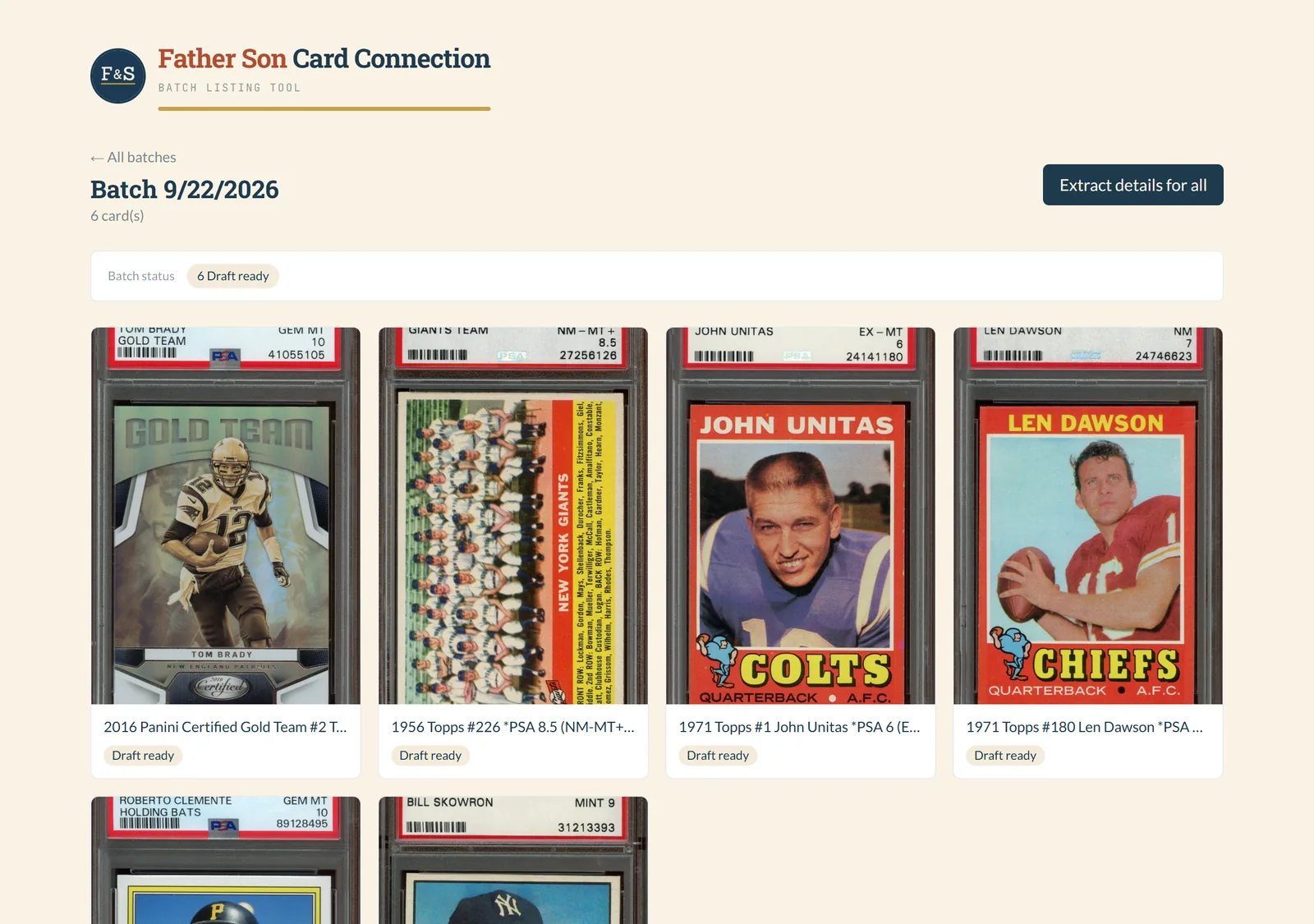
About three hours per batch, down to about one
Card photos go in, drafted eBay listings come out. The owner checks each one and publishes it himself.
How it works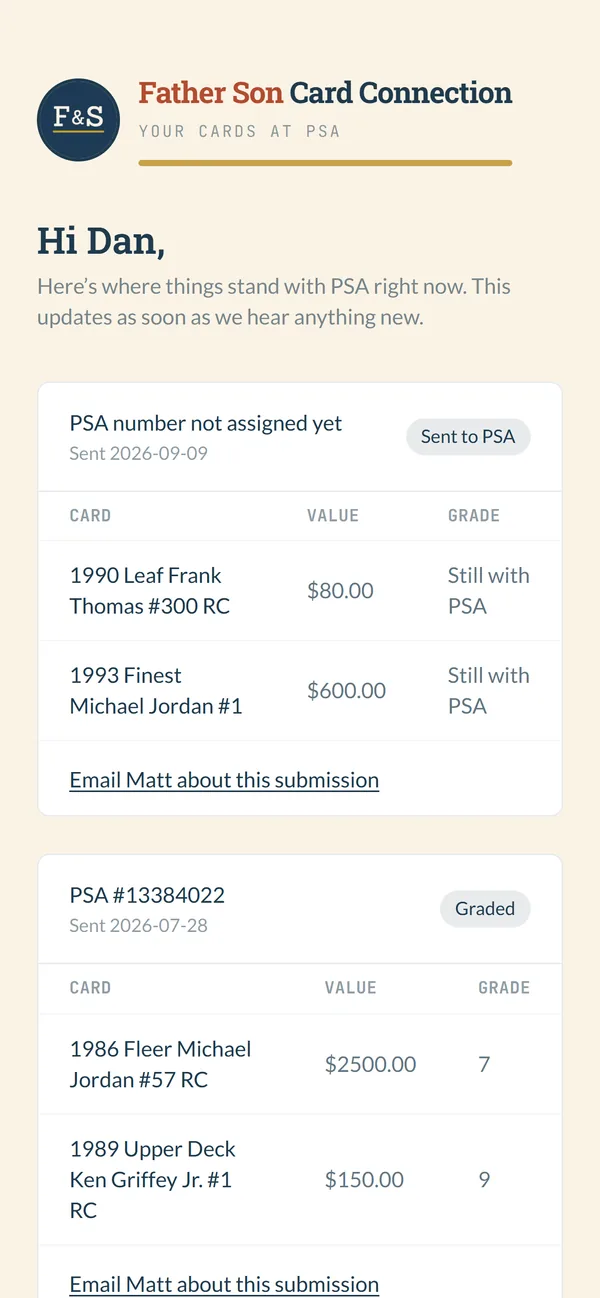
A spreadsheet per client, replaced by one list and a link
Each customer gets a private page showing only their own cards at PSA.
How it works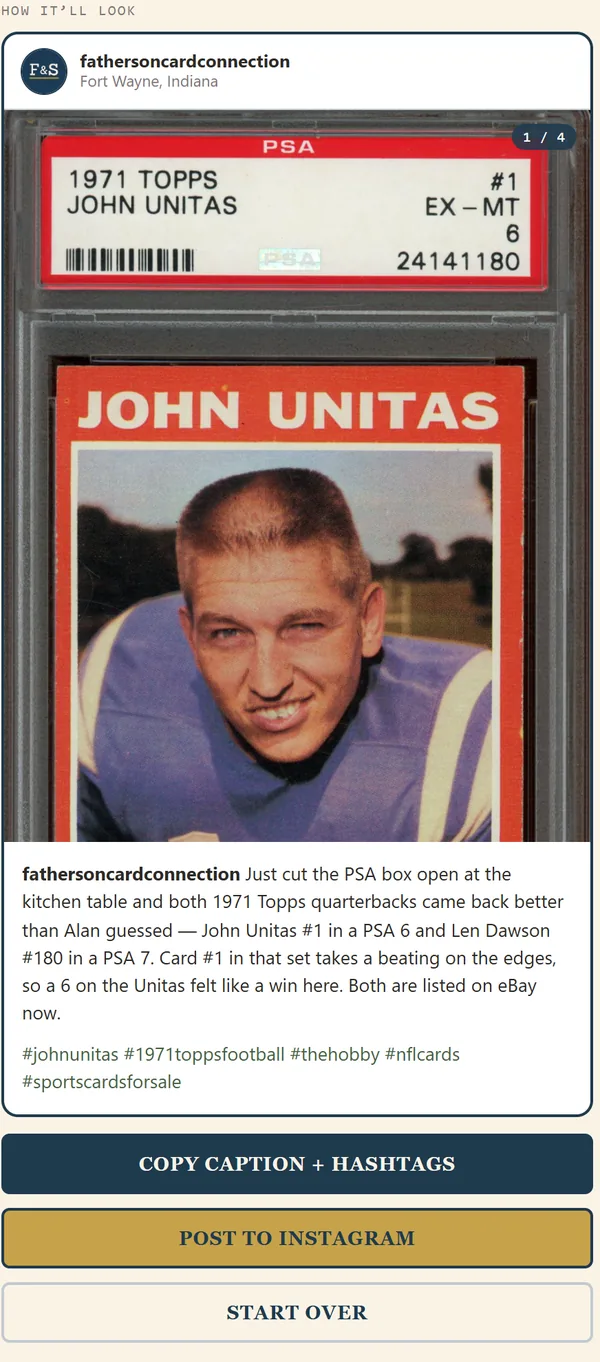
Posts straight to Instagram, as one photo or a carousel
Three drafted captions, five hashtags built from the card, and a Post button.
How it works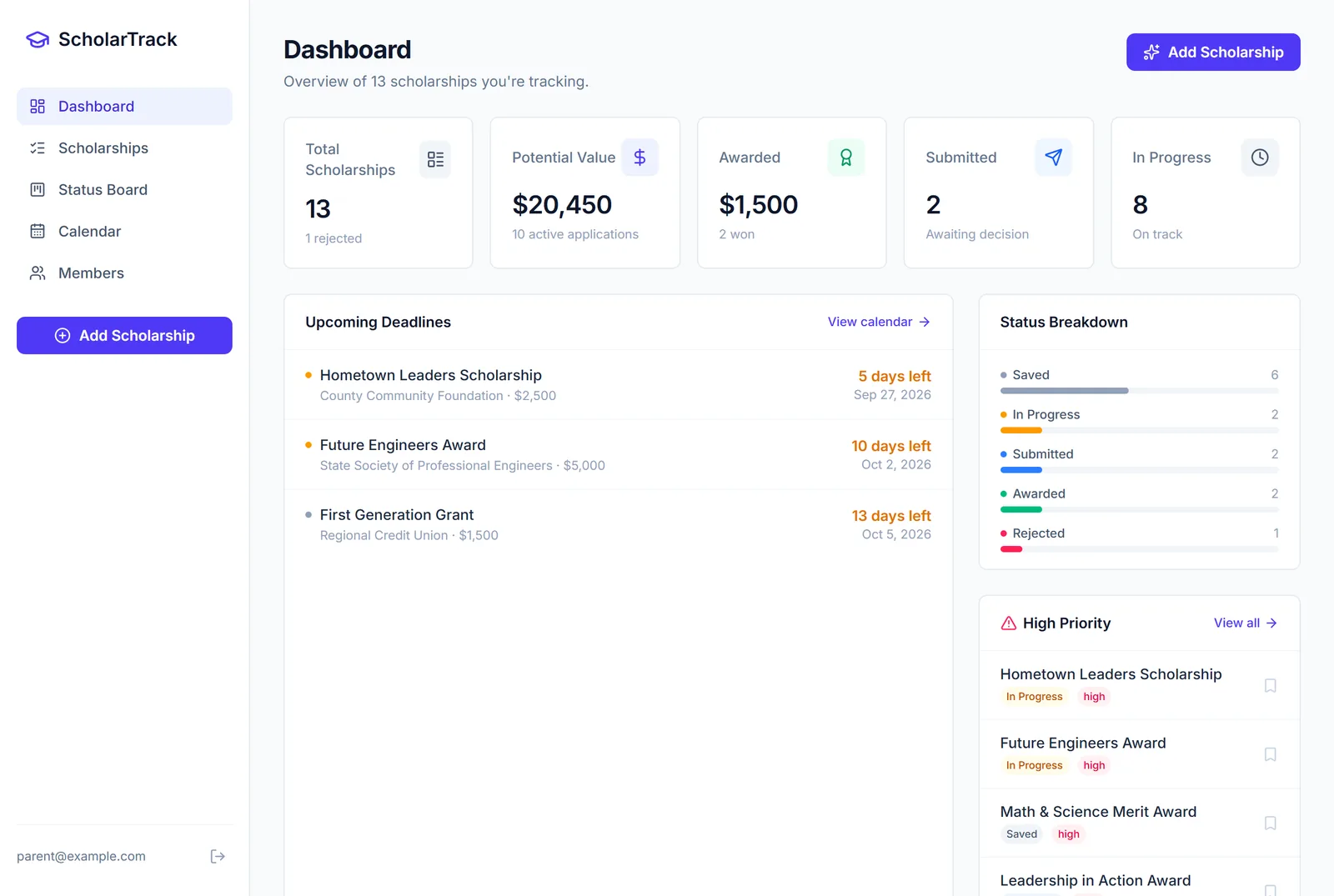
Every scholarship deadline, with email reminders
One shared list for parent and student, with alerts at 14, 7, 3 and 1 day out.
How it works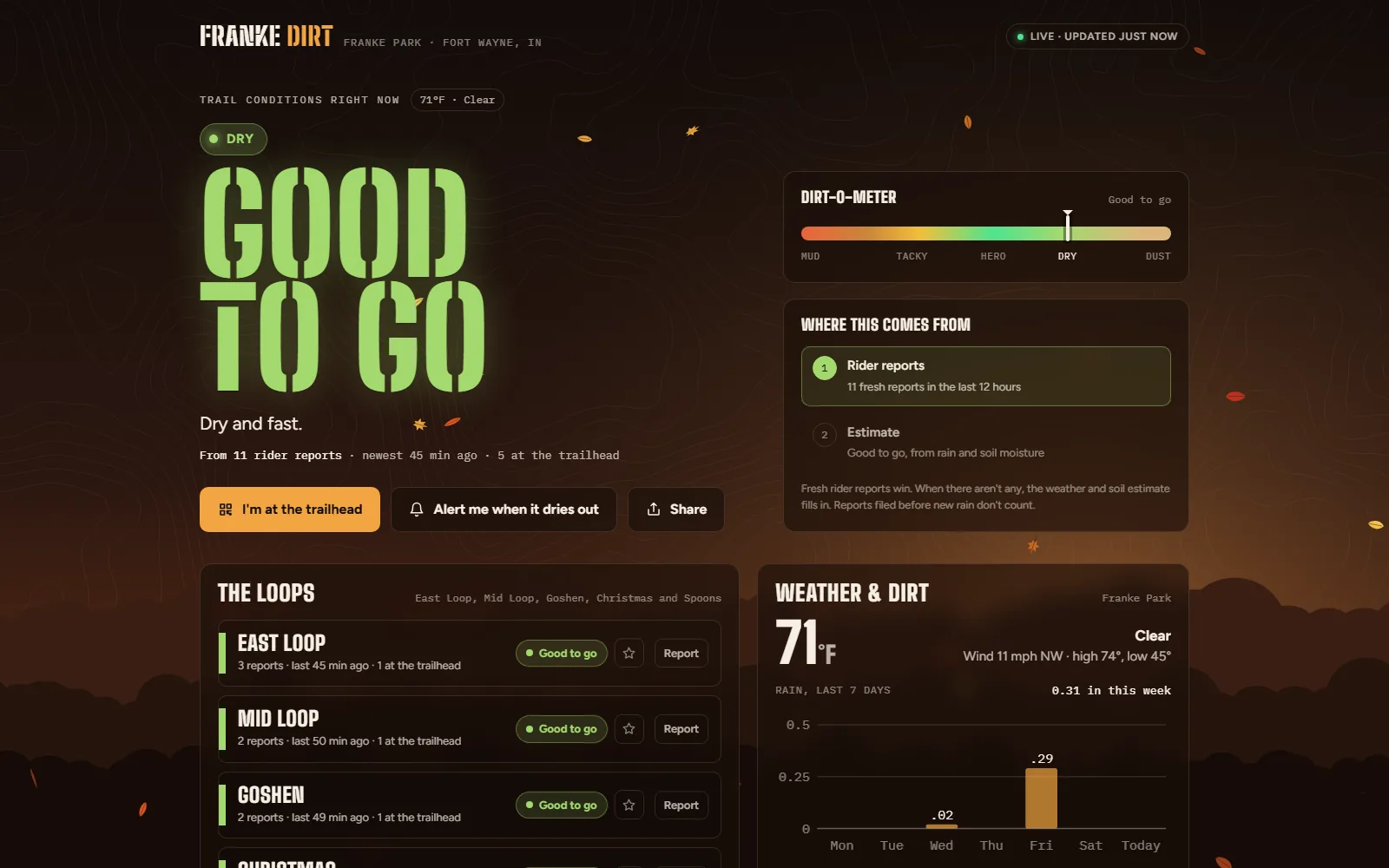
Is the trail dry? Riders answer in three taps
Rider reports for five loops at Franke Park, and a weather and soil estimate when nobody has reported.
How it worksWhat I take off your plate.
It's usually a short list doing the damage. These are the ones I build.
-
Scheduling and booking
This is the one I'd start with, and I think it pays off fastest. Somebody finds you on their phone at 8:40 on a Tuesday night. They pick a slot you already marked open. It shows up on your calendar, they get a confirmation right then, and a reminder goes out the day before. You weren't the one answering the phone at 8:40, and nobody had to call anybody back.
-
Lead follow-up and call catching
Every inquiry gets a reply in a couple of minutes and a follow-up on a schedule. The ones that go quiet still get chased.
-
Invoicing and payments
Invoices go out on time. Payment reminders chase themselves.
-
Data entry and reporting
Information moves between your tools on its own. Nobody retypes anything.
-
Custom apps and tools
Sometimes the tools you already have can't do the job, and the fix is a small app built around how you work. A page your customers check on their own phone, or a tool that drafts the listing so you only have to review it. The grading tracker and the trail conditions app above both started that way.
-
Website and online presence
A clear, current website and consistent listings, so customers can find you and book you.
Built on the tools you probably already use. Nothing gets ripped out and replaced.
Gmail, Google Sheets, Google Docs, Airtable, eBay, Instagram, PSA.
And what I build with, so it keeps running when I'm not there.
Claude, Make.com, Supabase, Netlify.
Three months in.
The invoices went out on the 1st and you didn't open the laptop. The quote request from Friday night was on Monday's calendar before you saw the email. When a vendor changed something and a step broke, you heard about it from me, and it was fixed before a customer noticed.
And your Saturdays are back to being Saturdays.
What it costs.
This is where most people start. Bigger work gets a price after we talk.
-
A workflow review: $500
I look at how the work moves through your business. You get a short written report: what to automate first, what each piece would take, and a fixed price for each. If you hire me to build any of it within sixty days, the $500 comes off that price.
-
One workflow: from $750
A single job, like booking confirmations, invoice reminders, or a reply to every new inquiry. The price is fixed before I start and you pay once it works. We write down what it should do, I run it on your real information, and we check it against that list. If it doesn't do what we wrote, you don't pay for it.
-
The first three businesses: $500
I'm still building my list of customers, so the first three get their first workflow for $500. I'll ask for a short review afterward, and you can say whatever you honestly think.
-
Keeping it running: $100 a month
The first 30 days after I hand over a workflow are free. That covers support, small tweaks and fixes if something breaks. After that it's $100 a month for your first workflow and $50 for each one after that, month to month. If a vendor changes something on their end, I'm the one who deals with it.
-
Bigger systems
Anything that touches several parts of your business gets a price after a small paid trial, so we both know what it takes before either of us commits. Those usually come with a yearly support fee, and I'll put it in writing up front.
Common questions
What happens if I stop working with you?
Everything I build lives in your accounts, under your login, not mine. It keeps running. Before we finish I'll walk you through where each piece is and how to turn it off, and you'll have that written down.
How long does setup take?
Plan on two to three weeks from our first call. A single workflow can be quicker; if we are rebuilding several at once it runs longer, and I will tell you which it is before you commit.
What if I already use other software?
I build around what you have. Your existing tools stay where they are.
Will this replace my team?
No. It handles the repetitive stuff so your team can spend their time on work that actually needs a person.
Do you only work with businesses in Fort Wayne?
Fort Wayne and northeast Indiana is home, and I like to meet in person when I can. The work itself is done remotely, so businesses outside the area are welcome too.
What does it cost?
A single workflow starts at $750, fixed before I start, and you pay once it works. The first 30 days of support after I hand it over are free, then it is $100 a month for the first workflow and $50 for each one after that. A $500 workflow review can come first if you would like a plan before you commit, and it comes off the price of anything you hire me to build within sixty days. Bigger systems get a price after a small paid trial. If I do not think it is worth the money for your shop, I will tell you that.
What if it doesn't work?
Before I build a workflow, we write down what it should do. When it's done I run it on your real information and we check it against that list. If it doesn't do what we wrote, you don't pay for it. If we find something we missed along the way, that's a change to the list, and I will tell you what it does to the price before I do any of it.
Who pays for Make and the other tools?
You do, on your own accounts, so they stay yours. I will give you the exact monthly figure for your setup before you commit, and I will tell you if a vendor changes a price later.
What would you hand off first, if you could?
That's the first thing I'd ask on a call. My guess is you already know the answer. A call runs about thirty minutes and there's no cost to it.
Book a free discovery callNot ready for a call? Tell me the one task you'd hand off first. I'll reply by email and tell you honestly whether it's worth automating.
Rather call? 260-444-8482. If I'm on a job I'll call you back the same day. I'm local, and I'd rather buy you a coffee than send you a proposal. I'm also on LinkedIn.