A spreadsheet for every client, replaced by one list and a link.
The shop sends cards to PSA for itself and for its customers, usually in the same box. The owner was keeping a spreadsheet for each customer, a master list on top of that, and emailing each customer their sheet by hand. Now it all lives in one place, and every customer has a private link to their own cards.
- Before
- A sheet per clientplus a master list, emailed by hand
- Now
- One listand one private link per client
- Built for
- A card shop that sends customers' cards to PSA for grading
- Built with
- Next.js, Postgres, the PSA API, Netlify
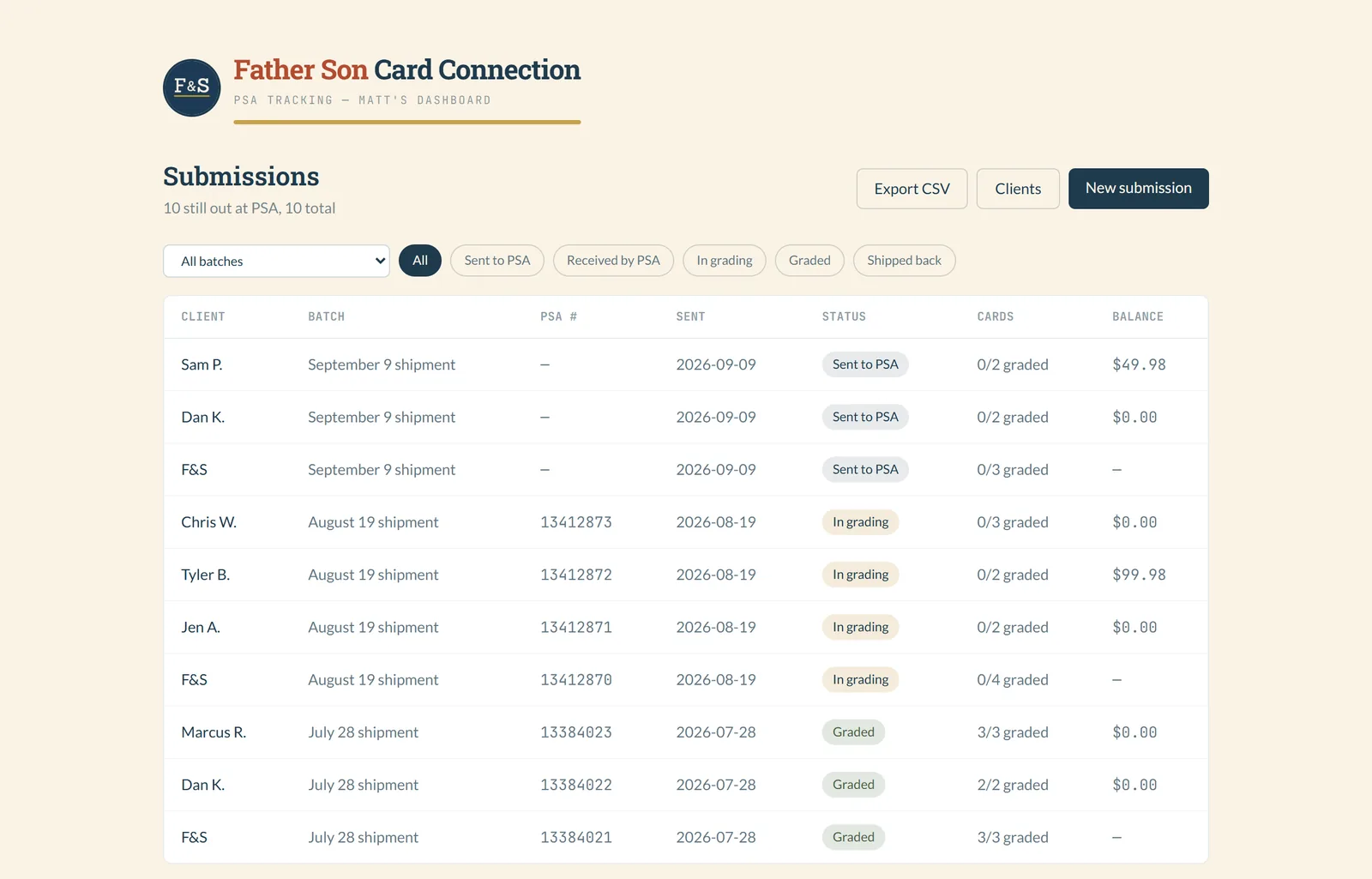
The same update, typed into two or three places, then emailed out.
Before
Every client, a new sheet
- One spreadsheet per customer, one row per card.
- A master sheet with every card from every customer, kept in step with the others by hand.
- Check PSA's site, then update both.
- Email each customer their spreadsheet, every couple of weeks.
Now
One list, one link each
- Every card lives in one place, grouped by shipment and by owner.
- The owner changes a status once. His view and the customer's page both show it.
- Each customer has a private link that shows only their own cards. They check it whenever they like.
- Cost, amount paid and balance sit on each submission, so billing is in the same spot.
The owner updates it once. Everyone who needs to know can see it.
One box, several owners
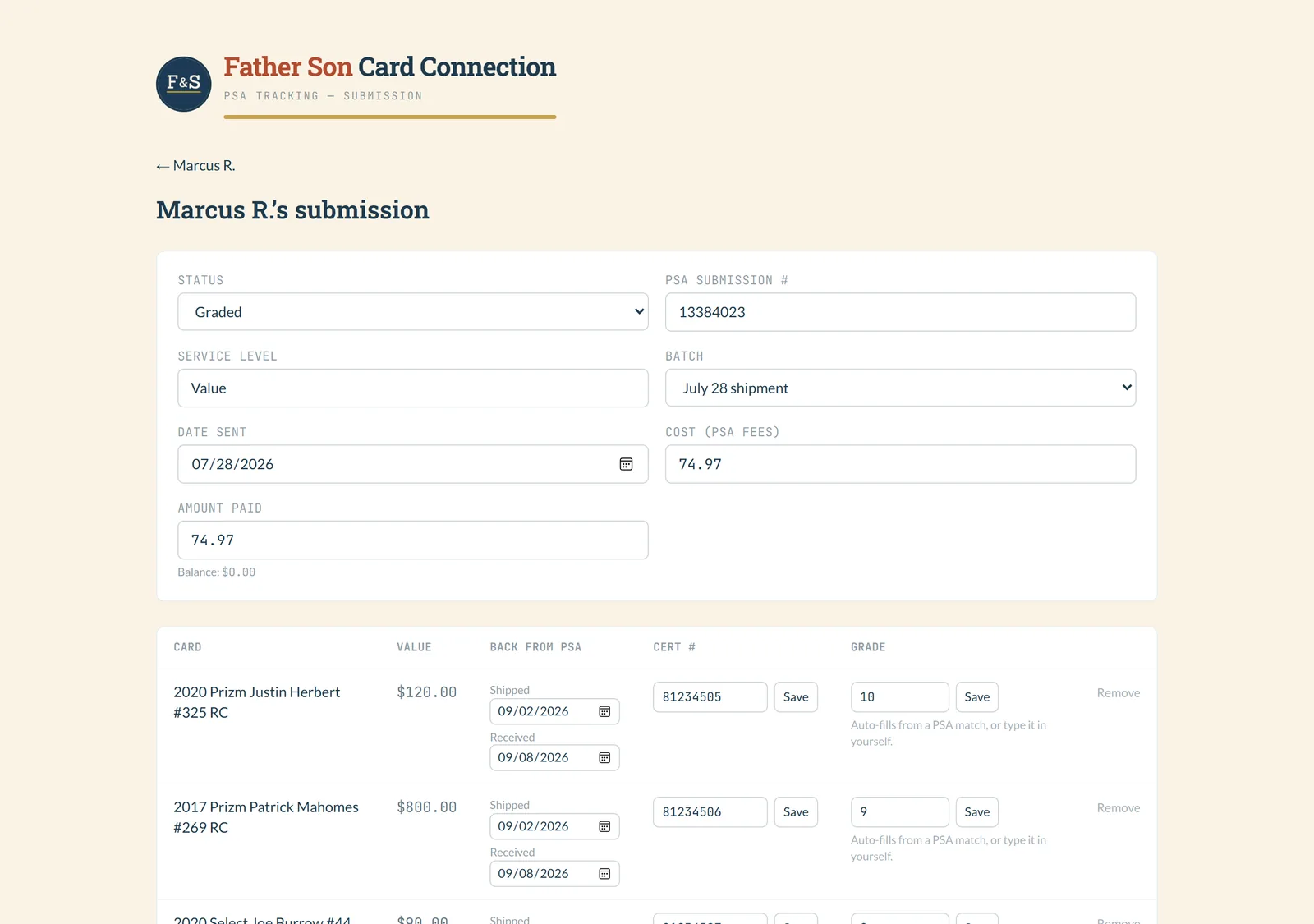
A box going to PSA usually holds cards for a few people. The tool keeps that shape: each shipment is split into one submission per owner, with its own cards, declared values and bill.
When a card comes back, the owner types the cert number. Once the shop's PSA key is set up, that number pulls the grade straight from PSA. Until then he types the grade in, same field.
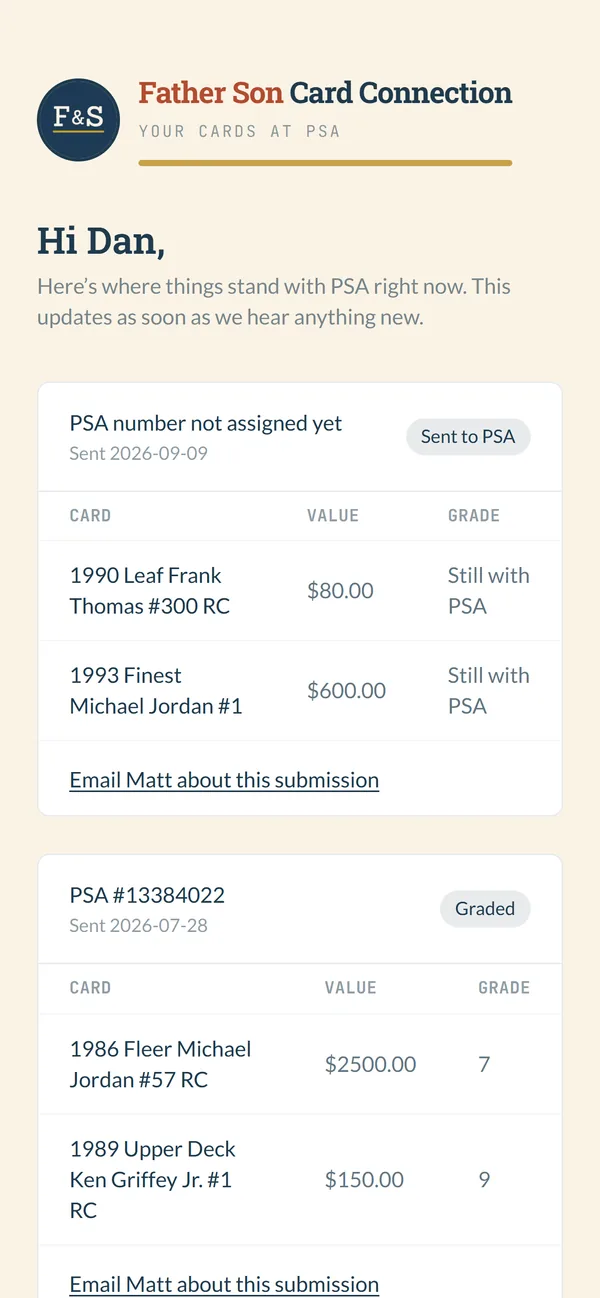
The customer checks their own link
Each customer gets their own link. No login, and nothing to download. It shows their cards, where each submission stands, and the grades as soon as the shop enters them.
Every submission has a link to email the shop about it. It fills in the PSA number and the card list, so nobody has to type them out.
One part of the old routine is still there.
The owner still checks PSA's site for status. PSA's public API only answers for cards that are already graded. It can't see a card that's still in their queue. So that step didn't go away.
The data can always leave. The old spreadsheet came over in one import, and one button exports everything back to a spreadsheet, archived customers included.
Old customers don't clutter the list. When someone's cards are all back, the owner archives them. They drop off the active view, and the history stays.
Are you keeping the same information in more than one spreadsheet?
That was the whole problem here, and it's a common one. Tell me how yours is set up and I'll tell you honestly whether it's worth replacing.
Book a free discovery call