From card photo to a live Instagram post, without leaving the page.
The owner picks the kind of post, adds one photo or up to ten, and types a sentence about the card. The tool drafts the caption and hashtags, shows him exactly how it'll look, and posts it to the shop's account as a single photo or a carousel.
- Before
- By handwrite, crop, download, then post from the phone
- Now
- One pagewith a Post to Instagram button
- Posts as
- A single-photo feed post, or a carousel of up to 10 photos
- Built with
- Claude, the Instagram Graph API, Netlify
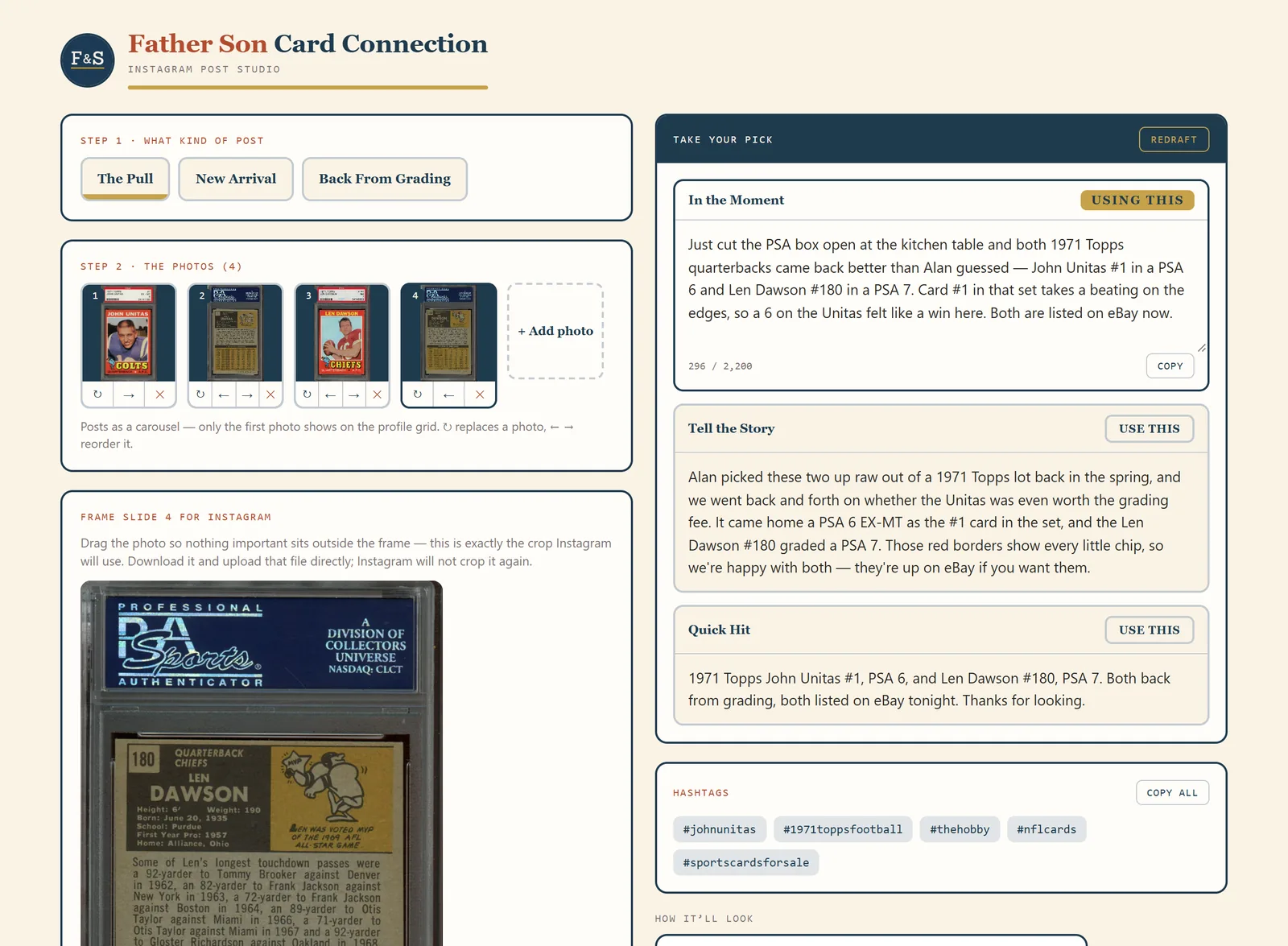
The first version wrote the caption. Posting was still a chore.
Before
- Copy the drafted caption out of the tool.
- Crop the photo, download it and get it onto the phone.
- Open Instagram, upload, paste the caption, add hashtags, post.
Now
- Pick the post type and add the photos.
- Choose one of three drafted captions and edit it if you want.
- Press Post to Instagram and confirm. It goes up as a feed post, or as a carousel if there's more than one photo.
Type a sentence, pick a caption, post it.
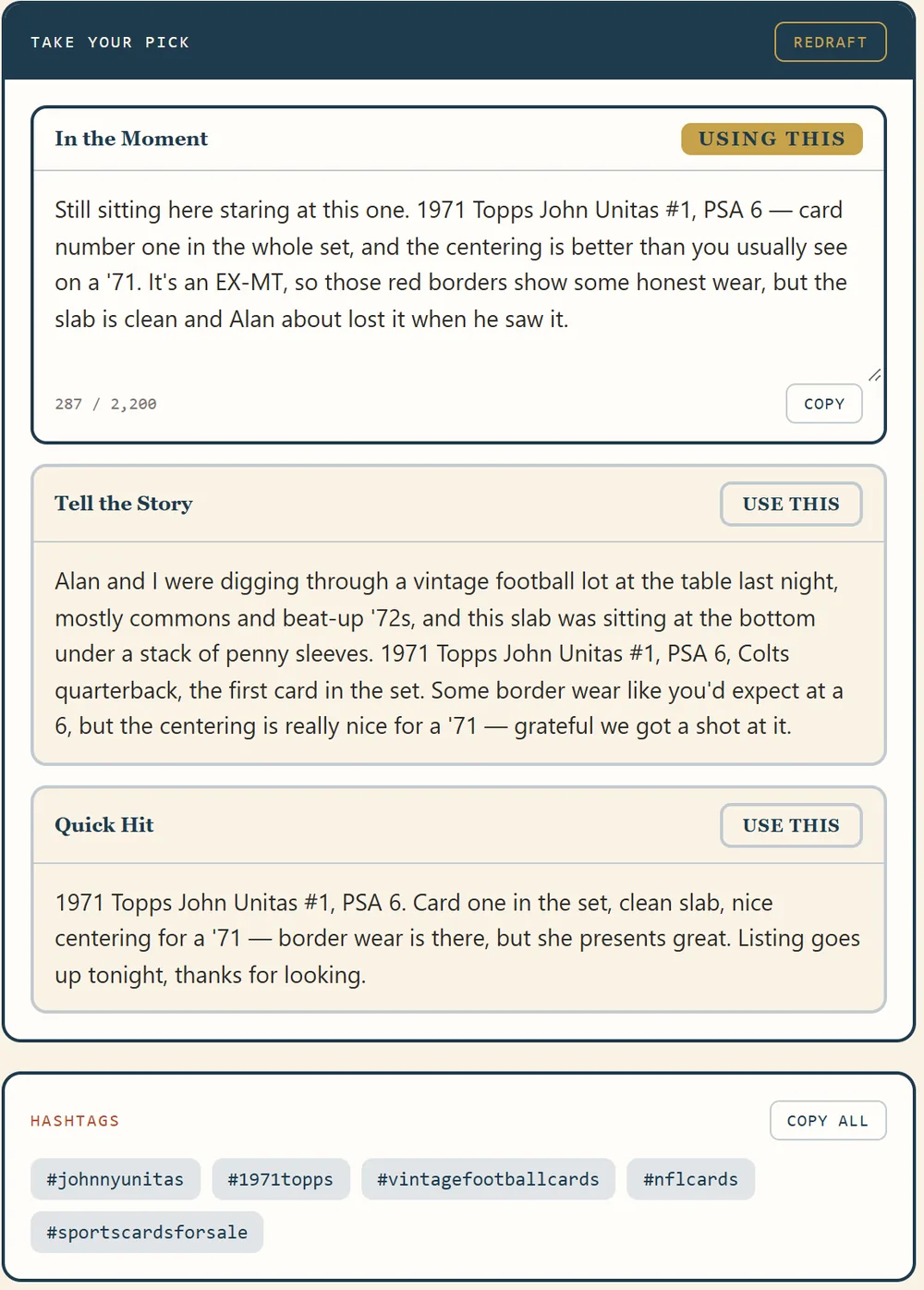
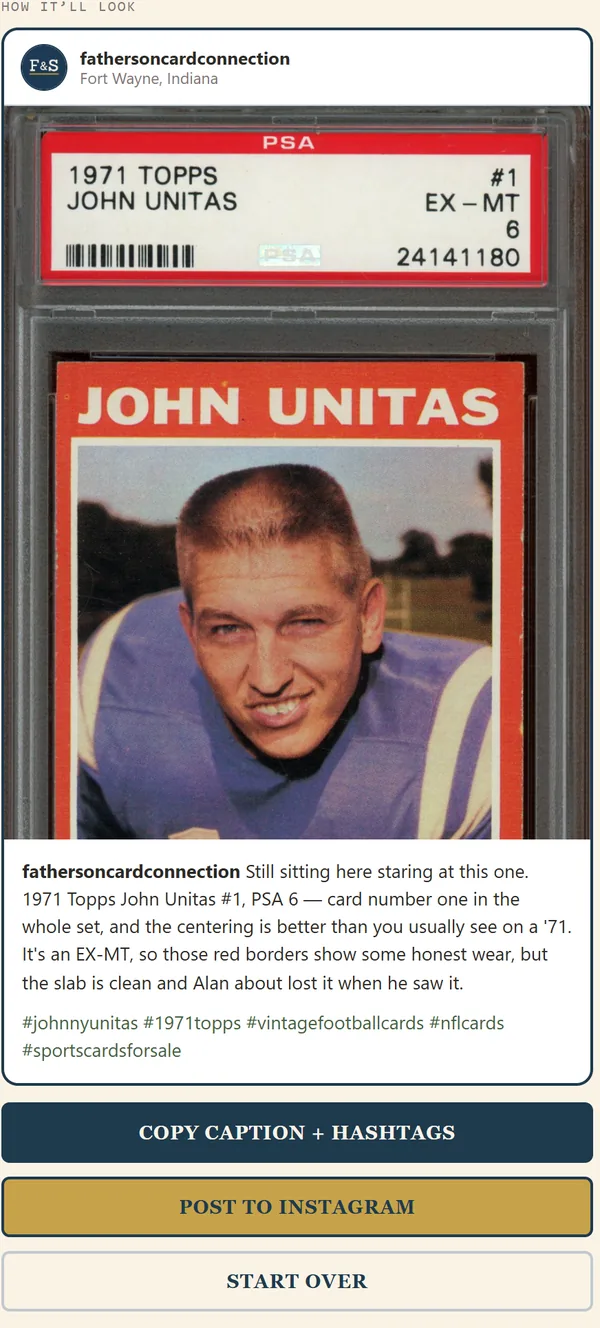
Three captions to choose from
The owner types a line or two in his own words, something like "1971 Topps John Unitas #1, PSA 6. Clean slab, nice centering for a 71." Claude writes three versions from that: one in the moment, one that tells the story, and a short one.
They're written to sound like him, from notes on how he actually talks to customers. The hashtags come from the card itself: player, set, the hobby, the sport, and one for buyers. Five, because Instagram stopped counting anything past five in December 2025.
One photo, or up to ten
One photo posts as a regular feed post. Add more and it becomes a carousel, up to Instagram's limit of ten, and the arrows under each photo change the order.
Every photo gets framed to 4:5 (1080 by 1350), the tallest shape Instagram takes for a feed photo. Drag and zoom so nothing important gets cut off.
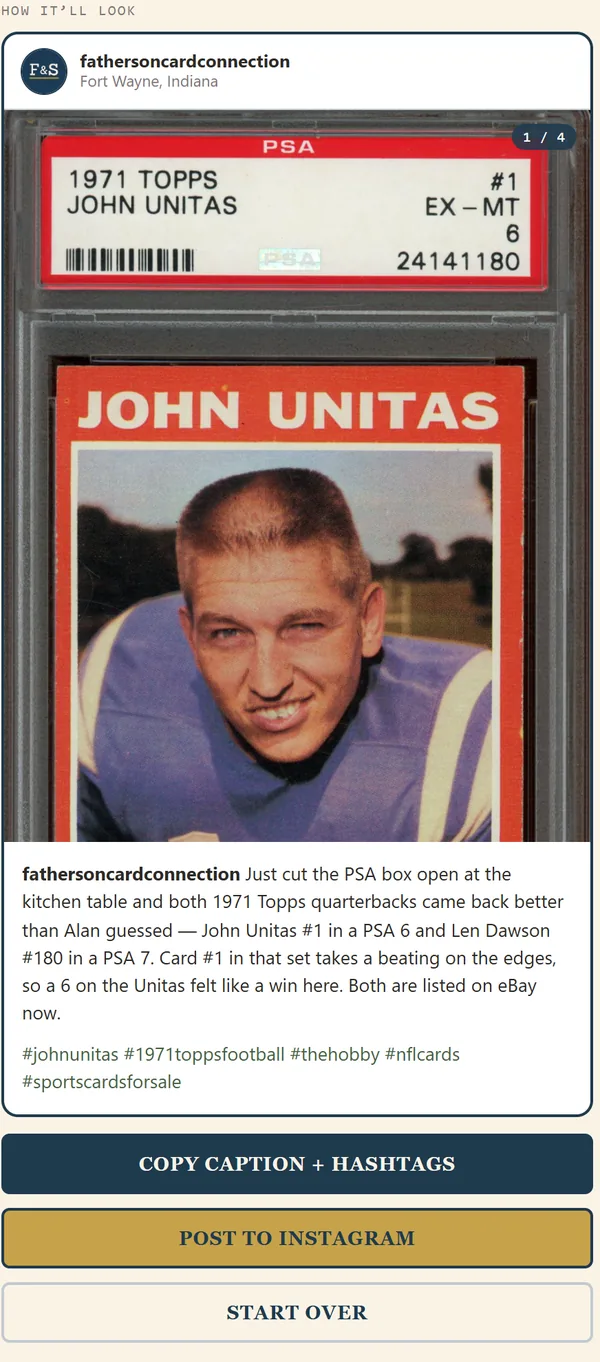
It posts for real, so it asks first.
There's a confirm step. Post to Instagram asks once more before anything goes up, because a post can't be pulled back from inside the tool.
It says the drafts come from AI. Right under the buttons. He reads every caption before it goes out, and fixes anything that isn't right.
The old way still works. If he'd rather post from his phone, the copy and download buttons are still there.
Is there a post, email or update you write the same way every week?
Drafting it is usually the easy part to hand off. Getting it all the way out the door is where most of the time goes, and that's the part I'd look at first.
Book a free discovery call